Surf tracking for Wear OS
Count your waves. Find them on the cam.
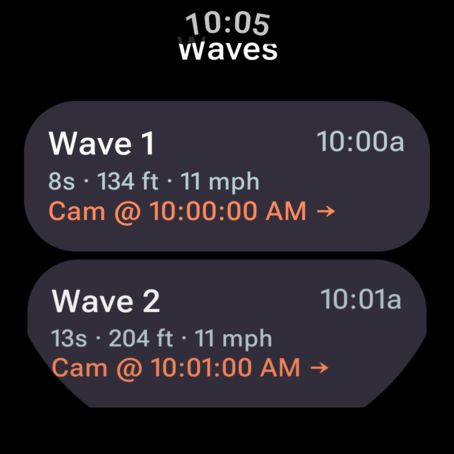
Tidemark runs on your watch while you surf. It picks out every ride from GPS, buzzes when it counts one, and gives you the time to the second so you can scrub the Surfline cam rewind straight to your wave.
How a session goes
-
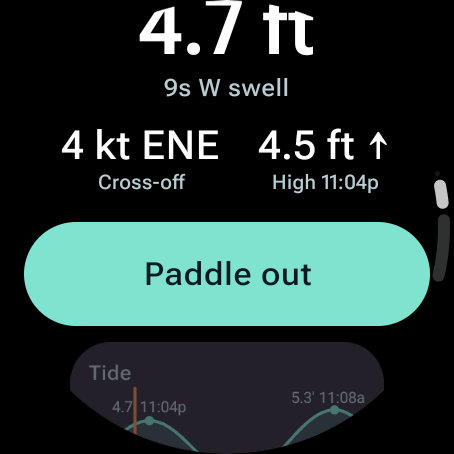
Check it, paddle out
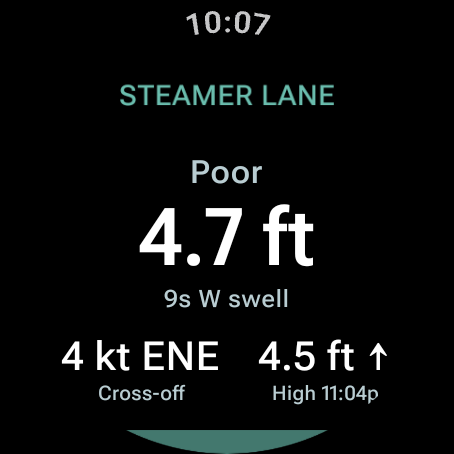
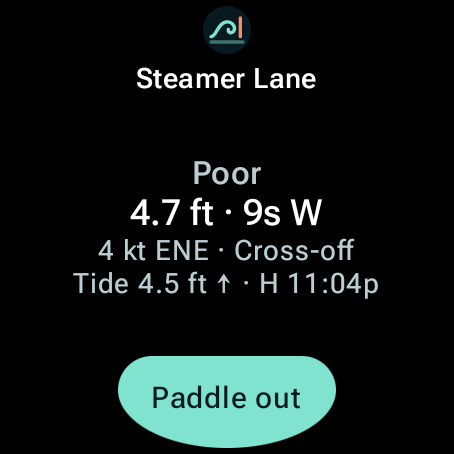
Swell, wind, tide and a rating for the spot you're at. One tap starts the session.
-
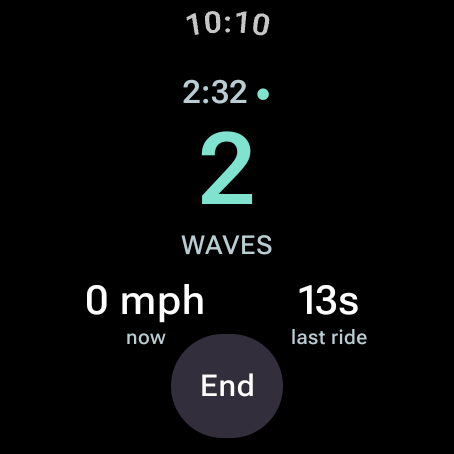
Surf
The watch buzzes each time it counts a wave. Wave count, speed and last ride are one glance away between sets.
-
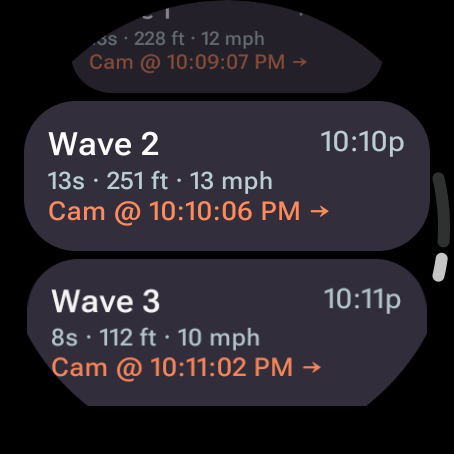
Find your waves
Each wave gets its time on the Surfline cam, a couple of taps from a clip.
How it works with Surfline
Surfline has the cameras. Tidemark knows when you rode. Put the two together and every wave is a couple of taps from a clip.
-
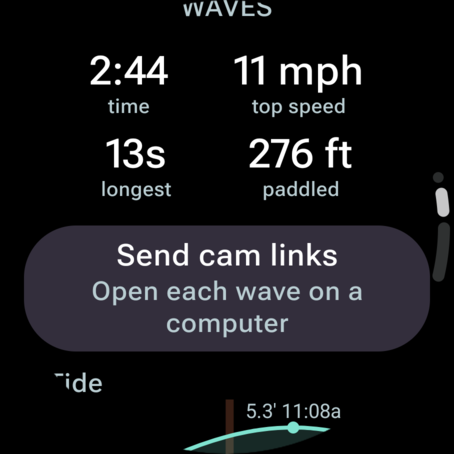
On the watch
Every ride is marked with its time on the Surfline cam. Send a session's cam links all at once from its summary.
-
On your phone
Tap a wave and that spot's cam opens in the Surfline app. Pick the card's time and clip it.
-
On your computer
Open the cam links on a computer and each one starts the Surfline rewind right at your wave, ready to clip.

Cam rewinds need Surfline Premium and are kept for five days. Tidemark does not use Surfline's data or API and is not affiliated with Surfline.
What it does
Wave detection
Rides are picked out of 1 Hz GPS by speed and duration, so paddling, drifting in whitewater and walking up the beach don't count.
Session stats
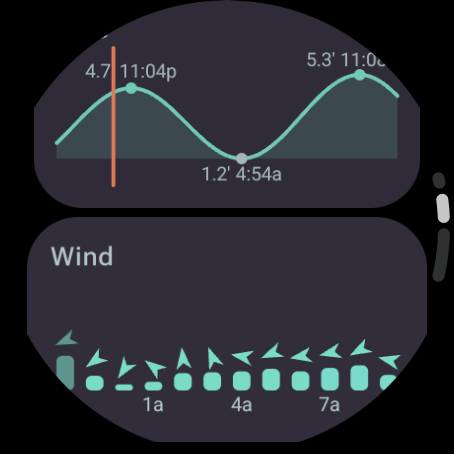
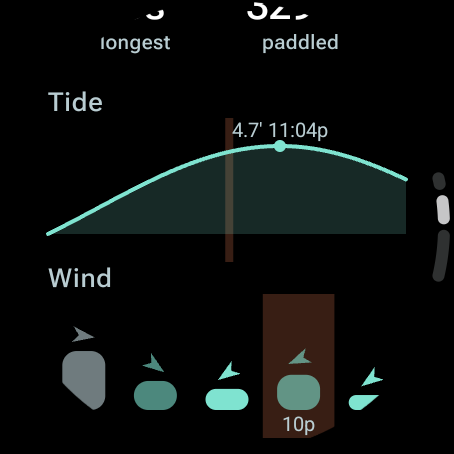
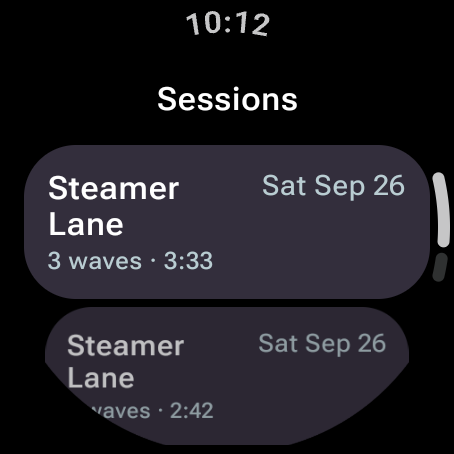
Waves, longest ride, ride distance, top speed, time in the water and distance paddled, with the day's tide and wind charted and your session shaded on both.
Surfline cam timestamps
Every ride is marked with its time on the Surfline cam. Send the links to yourself and each one opens the rewind at the wave on a computer.
Tide chart
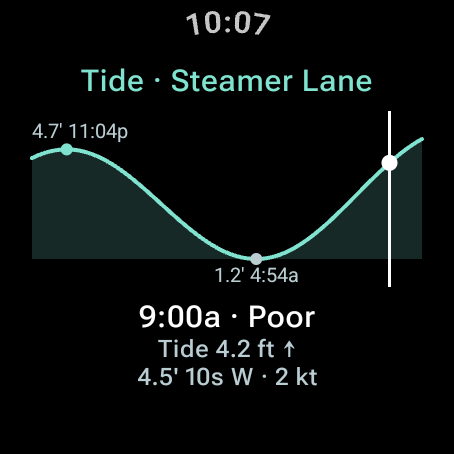
The next 18 hours from NOAA predictions for the nearest station, with every high and low labeled with its height and time. Tap it and turn the crown to scrub hour by hour.
Wind at a glance
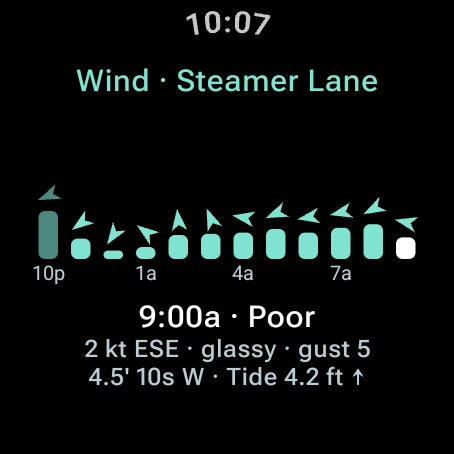
Hourly bars with an arrow pointing the way the wind blows, coloured by whether it is offshore or onshore at that spot. Swell height, period and direction by the hour.
7,700 US spots
Every coastal state plus Hawaii and Puerto Rico. The watch opens on the spot you are standing at, and a session is filed under the spot nearest where you sat in the lineup.
Works offline
The last forecast is kept on the watch, so you still see it in the parking lot with no signal.
No phone needed
Tidemark is a standalone watch app. Sessions stay on your watch. A paired phone is only used to open Surfline links.
On the watch
Pricing
Launch pricing.
Free
$0
- Session tracking
- Wave detection and stats
- Today's conditions and tides
Tidemark Pro
$2.99 /month
or $19.99 a year
- Everything in Free
- Surfline cam timestamps
- Full session history
- Conditions tile
Before you paddle out
Check your watch's water rating. Google's Pixel Watch care guide says the watch shouldn't be used for high-speed or high-impact water sports, and water resistance wears down over time. A wipeout at size counts as high impact.
Surfline cam timestamps need a Surfline Premium account to view rewinds, and the spot needs a cam pointed at where you surfed.